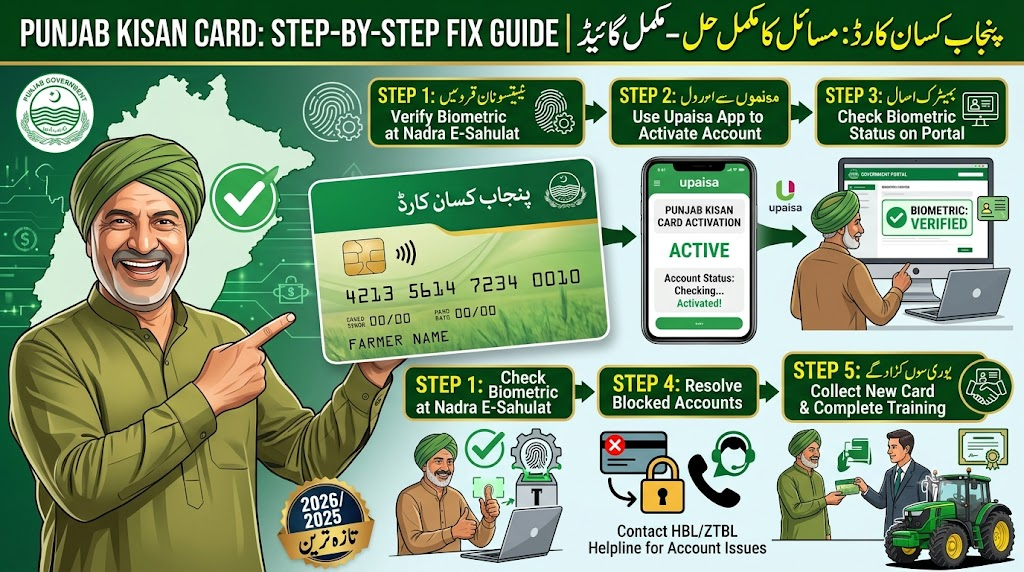
The Government of Punjab launched the CM Punjab Kisan Card scheme to empower small-scale farmers by offering interest-free loans, subsidized fertilizers, seeds, and direct access to tractor schemes. While this digital initiative has streamlined agricultural support for over 500,000 farmers, thousands face technical hurdles during registration and usage.
If you are wondering, “Why is my Kisan card not working?” or struggling with a “Blocked Kisan Card status,” you are not alone. This comprehensive guide covers step-by-step methods to fix biometric verification errors, activate your blocked card, and verify your account status online using your CNIC.
Why Is My Kisan Card Not Working? (Common Reasons)
Before attempting any fixes, it is crucial to understand why your Punjab Kisan Card might stop working or face rejection during biometric setup. The system relies on synchronized data between multiple government entities, including NADRA, the Punjab Land Record Authority (PLRA), and the Pakistan Telecommunication Authority (PTA).
Here are the primary reasons behind a non-functional Kisan Card:
SIM Registration Mismatch: The mobile SIM card used for the registration process is not issued against the farmer’s own CNIC.
Biometric Verification Failure: Rough skin, age-related fading of fingerprints, or poor scanner quality at HBL Connect shops can cause verification to fail.
PLRA Land Record Mismatches: If your agricultural land records are not updated, or if there is a spelling difference between your CNIC and the land ownership document (Fard-e-Malkiyat).
Bank Blockage (BOP Default): Since the financial backing is handled via the Bank of Punjab (BOP), any previous bank default or unresolved credit balance can trigger an automatic account suspension.
Technical Overview of the Kisan Card Status Fix
Problem Category
Root Cause
Primary Solution Hub
Biometric Verification Error
Fingerprint mismatch or dry skin at retailer shops.
NADRA Mega Center / HBL Connect Retailer
Card Not Active / Blocked
Incomplete initial deposit or verification pending.
Nearest Bank of Punjab (BOP) Branch
SMS Code Not Received (8070)
SIM not on personal CNIC or network issue.
PTA / Mobile Franchise
Land Eligibility Issues
Missing PLRA entry or land size greater than 12.5 acres.
Local Tehsil Agriculture Office / Arazi Record Center
How to Fix Punjab Kisan Card Biometric Verification Issues
Biometric verification is the backbone of securing your Kisan Wallet account. If you visit an HBL Connect retailer and your fingerprint verification repeatedly fails, follow this procedure to resolve the issue:
Step 1: Clean and Hydrate Your Hands
Agricultural labor often results in worn-out or dry skin ridges on fingers, making it hard for digital scanners to read prints. Wash your hands thoroughly with soap, apply a light moisturizer or grease-free lotion, and wait 5 minutes before retrying on the scanner.
Step 2: Utilize the NADRA Bypass Route
If the HBL Connect retailer machine continues to reject your print, do not keep spamming the system, as it can temporarily lock your CNIC. Instead, visit your local NADRA Mega Center. Request a Biometric Verification Certificate (BVC) or update your fingerprint profile in the central national database. Once updated at NADRA, the biometric syncs across corporate banking networks within 24 to 48 hours.
Step 3: Switch the Verification Finger
Many users only try their thumb. Standard banking systems allow verification using index fingers or pinky fingers if the thumbs fail. Ask the HBL Connect representative to cycle through different fingers on the device interface.
How do I Activate My Kisan Card? (First-Time Activation)
Once your application is approved and you receive your physical Kisan Card from the local Tehsil Agriculture Extension Office, you cannot use it immediately. It must be manually activated through your verified digital wallet.
1. Open and Fund Your Mobile Wallet
Ensure your biometric account setup is completely finalized at an HBL Connect or Bank of Punjab designated desk. You must fund the mobile wallet with the initial mandatory card issuance or token balance fee (usually around PKR 500 to PKR 1,000 depending on the current operational phase subsidies).
2. PIN Generation via BOP ATM
Take your card to the nearest Bank of Punjab (BOP) ATM machine. Insert the card, wait for the screen to prompt for first-time activation, enter your registered mobile number, and wait for a temporary One-Time Password (OTP) on your phone. Enter the OTP to set your permanent 4-digit security PIN.
3. Activating via Mobile Apps
If you have a digital portal account, log into the BOP Kissan Portal or the designated Agriculture Department app using your credentials to tap the “Activate Card” trigger.
How to Check Kisan Card Status by CNIC
You do not need to visit an office just to check if your account is active, pending, or rejected. The Punjab Government provides both offline SMS mechanisms and online tools.
Method 1: The 8070 SMS Tracking
Open the text messaging app on your mobile phone (ensure the SIM card is registered in your name).
Type your 13-digit CNIC number without any spaces or dashes (e.g., 3520112345677).
Send the message to 8070.
You will receive an automated response outlining your eligibility and card distribution status.
Method 2: Online Portal Status Check
For deep analytical verification regarding your loans, balance limits, or registered dealer purchases, visit the official Agriculture Department Government of Punjab Portal. Input your profile details to review your centralized status profile managed by the Punjab Information Technology Board (PITB).
How to Activate a Blocked Kisan Card
If your card was working previously but suddenly stopped functioning at registered agro-input dealers, your card has likely been blocked due to system audit logs or security updates. Here is how to restore functionality:
Resolve Financial Clearance: If your card was blocked due to an outstanding credit cycle issue from the previous harvesting season, visit a BOP branch, clear the remaining dues, and request a financial status update.
Submit Your Fard Verification Again: Sometimes, land ownership changes trigger automated locks in the PITB system. If your land was recently re-evaluated by the Land Record Authority, take a fresh copy of your Fard to the local Agriculture Department extension desk to manually unblock the profile.
Unblocking Inactive Wallets: If you do not use your Kisan Wallet card for more than 6 consecutive months, the State Bank regulations dictate a temporary dormancy block. To reactivate, simply visit the nearest parent commercial branch with your original CNIC and perform a live cash transaction or biometric re-verification.
Q1: Can I use a mobile SIM registered under my son’s or brother’s CNIC for the Kisan Card?
Ans: No. The mobile number must be legally registered under your exact CNIC number through the PTA database. Mismatched mobile numbers will cause an automatic rejection during the data-matching phase between NADRA and PITB.
Q2: What should I do if the 8070 portal says “Record Not Found”?
Ans: This means your agricultural land is either not registered correctly under the Punjab Land Record Authority (PLRA) database or your land size falls outside the eligible 1 to 12.5-acre bracket. Visit your regional Arazi Record Center (ARC) to fix your digital land portfolio record.
Q3: Are there any annual fees to keep the Punjab Kisan Card active?
Ans: There is an initial card manufacturing and setup fee subsidized by the government. No hidden monthly or recurring maintenance fees are applied as long as you clear your seasonal agricultural inputs credit within the designated timeframe.
Q4: Where can I use my Kisan Card once it is completely activated?
Ans: You can use your active card exclusively at registered corporate agriculture dealers across Punjab to purchase seeds, pesticides, and fertilizers at official government-subsidized rates.
Official Government Links & Support Channels
For official complaints, manual applications, and digital troubleshooting, always consult the verified official government bodies:
Official Program Details: Punjab Agriculture Department Kisan Portal
Digital Account Status Interface: BOP Kissan Portal Login
Database Management Authority: Punjab Information Technology Board (PITB)
Helpline Support: You can contact the Punjab Agriculture Department’s toll-free helpline at 0800-17000 for direct manual assistance with blocked profiles.
Aap is video guide ko bhi dekh sakte hain jo Punjab Kisan Card ki mukammal registration aur iske ahem fawaid ko tafseel se bayan karti hai taake aapko live verification process ko samajhne mein mazeed aasani ho: